Downloads

Take the arcade home.

Here's the deal, plain and simple: every game on this site is FREE to play — right here, in your browser, forever. If you love a game and want it on your own computer — no browser, no internet, double-click and play — that's what these are for.

The whole list

Every game. Two choices. That’s it.

Play any game right here on the web — free, right in your browser, forever. Or download it onto your own computer for 99¢ — a real file you install and play, no browser needed. No packs. No bundles. Every single thing is 99 cents, plain and simple. And a game only gets a Download line when there’s a real install file we can actually send you — the rest are play-only for now.

Pay with Cash App — $LeviBarron83. Cash App is the one and only way to send money here. Your download link lands in your inbox within ~15 minutes of paying.

Installing your game

How installing works — the picture guide.

First time installing one of our games? You’re not alone with it — here’s every screen, step by step. It’s old-school on purpose: download, install, icon on your desktop, play.

1. Download your game.

After your order goes through, tap the download button. One ZIP file lands in your Downloads folder — that’s the whole game, everything in it.
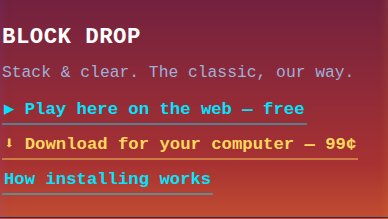
The Block Drop download entry on this page

2. Open the ZIP.

Find the file in Downloads and double-click it. Inside you’ll see the installer, a README text file about the game, and the artwork — that’s the whole package.
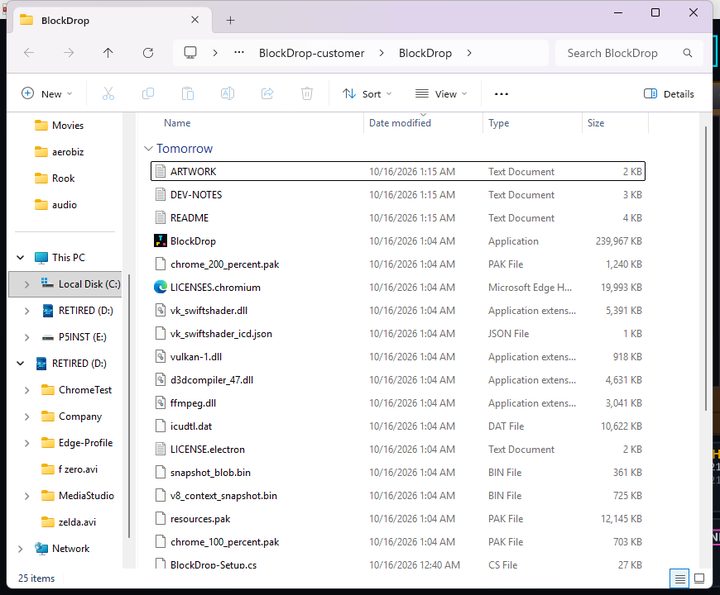
The opened package folder showing the game, the README and the artwork

3. Run the installer.

Double-click the Setup file. It puts the game in its own folder and its icon on your desktop — old-school, just like installs used to be.
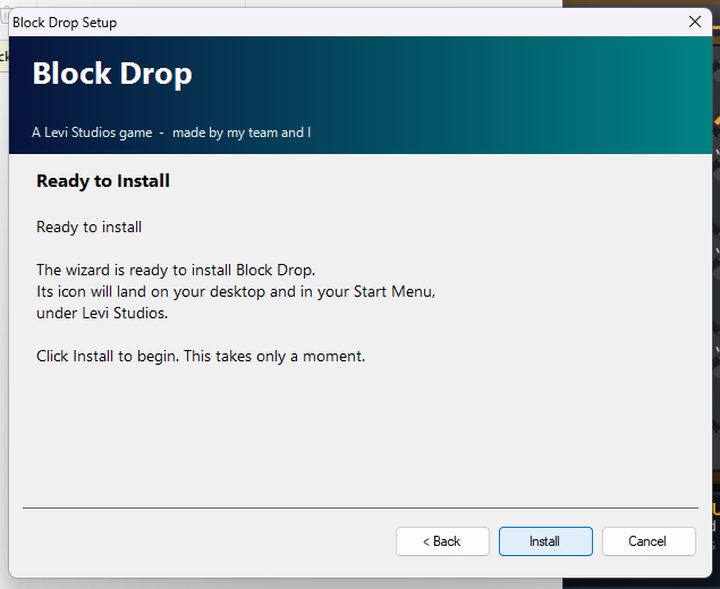
The Block Drop installer, ready to install

4. Windows may warn you — that’s expected.

A blue screen may say “Windows protected your PC.” We don’t have a code-signing license yet, so Windows doesn’t recognize us. It’s safe to continue — the full story’s in the warning note beside the download button. Our installer tells you the same thing itself, before Windows ever gets a say:
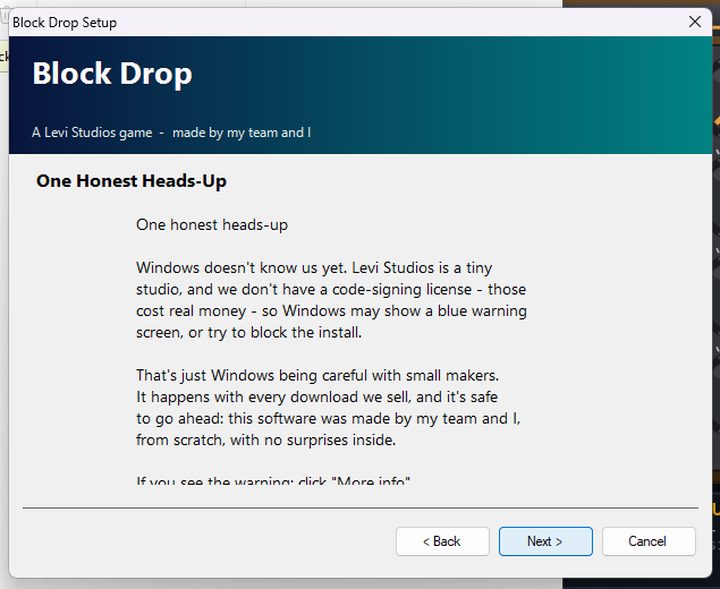
The installer's own heads-up page about the Windows warning

5. Tap “More info.”

It’s the small link on the warning screen.

6. Tap “Run anyway.”

The screen opens up and shows this button. One tap and the install finishes.

7. Your icon’s on the desktop.

That’s your game — its own icon, in its own folder, with its README and artwork right there with it.
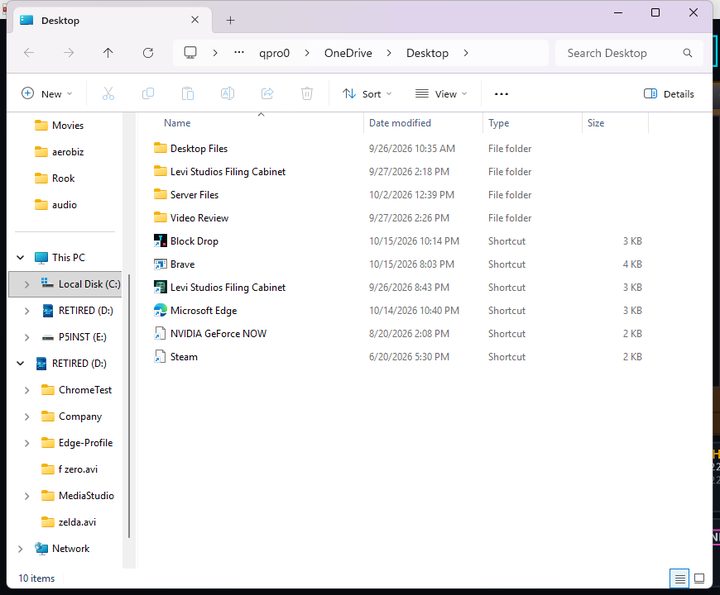
The Block Drop shortcut on the desktop

8. Double-click and play.

No accounts, no internet needed, no funny business. Your scores save on your own computer. Welcome to Levi Studios.
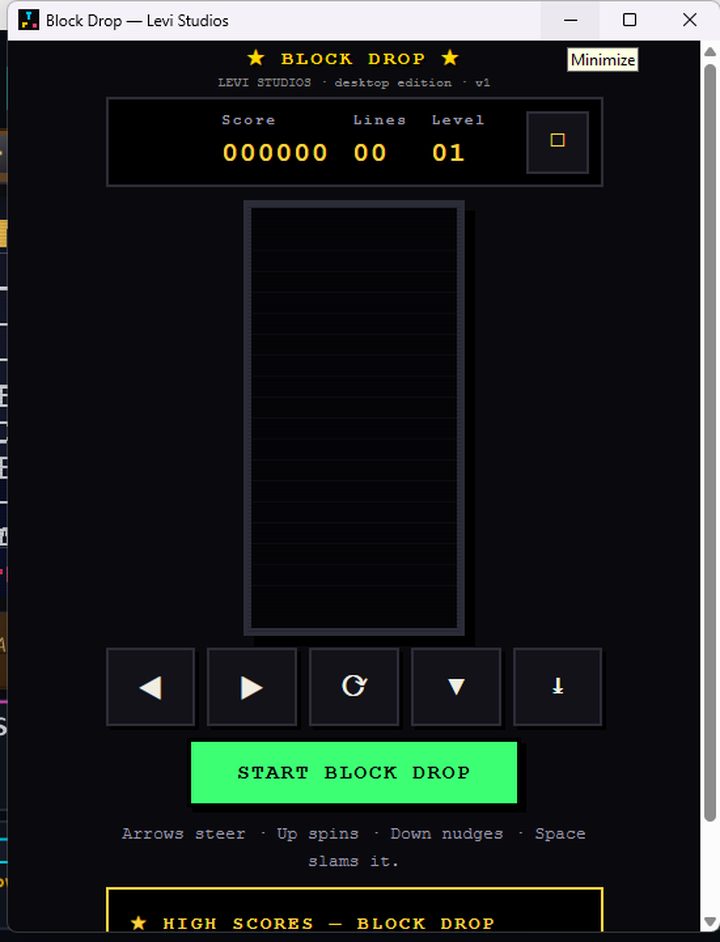
Block Drop running on the computer

Also in the shop

Screensavers & desktop apps.

We make those too — real installers, 99¢ each, same as everything. They live on the Apps page.

★ Who we are

Levi Studios.

A retro game studio out of Dexter, Maine, founded by Levi Barron — one man, one home server, and a whole crew of AI teammates rowing in the same direction. No offices. No suits. Just a bearded guy from Maine who never stopped loving the way the internet used to feel, and decided to build it back.

OUR VISION

Rebuilding the internet the way it used to feel — fast, fun, free, and made by real people. One game, one page, one late-night build at a time, we're bringing the arcade back: the chat rooms, the high-score rivalries, the pixel glow on the screen. The dream has a name — LeviNet — and it's getting real, build by build.

OUR MISSION

Make games that are actually fun. Give them away free on the web so anybody can play. Offer desktop editions for the folks who want to own a copy and support the work. Keep it honest, keep it retro, keep the high scores safe, and never ship anything we didn't make ourselves.

If you like what we make, tell a friend. That's how the good stuff always spread.